How to Check Your Pokémon Card Before Grading (2026)
By Mitchell Taljaard · · Updated
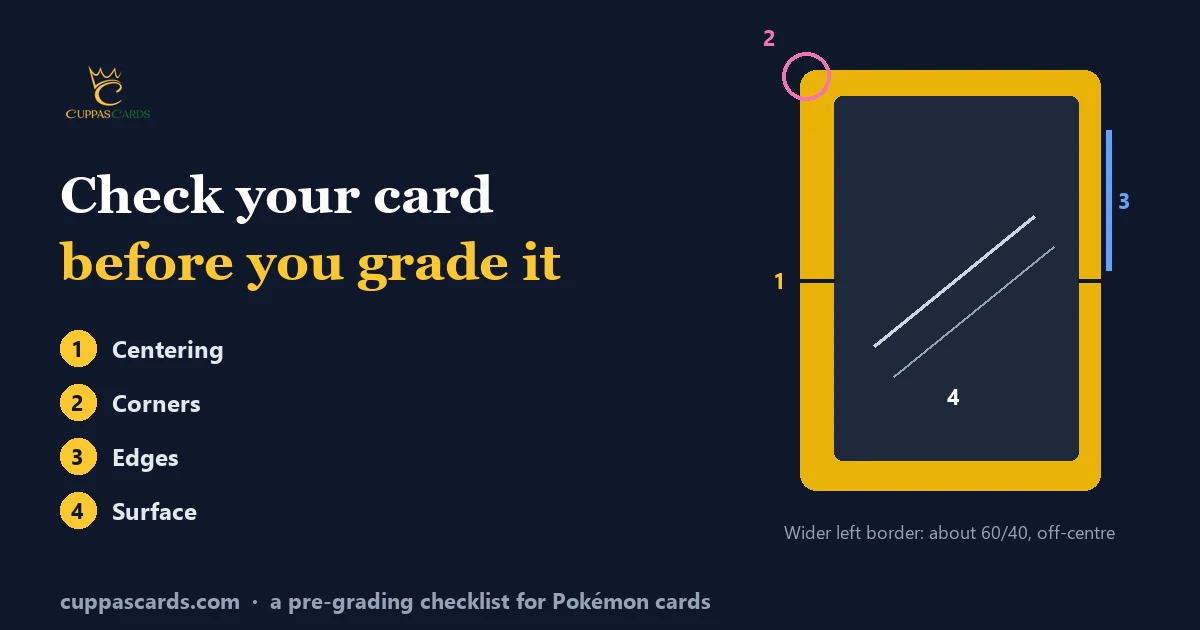
Grading costs money, so it pays to know what you're sending. A few minutes with a bright light and a ruler can tell you whether a card is a 10 contender or a 7.
We're Cuppas Cards, a PCG submission service for South African Pokémon collectors. We don't grade cards ourselves: PCG assigns every grade. The two problems we see most often on cards people want graded are off-centre cards and whitening on the back.
What do you need to pre-grade a card?
You don't need special equipment. A few household items will do:
- A bright lamp you can tilt, or a window with daylight
- A magnifier, such as a jeweller's loupe or your phone's camera zoom
- A ruler with millimetre marks, or a printed centering guide
- A clean, soft surface, like a microfibre cloth on a table
- Clean, dry hands, so you don't add marks while you check
Keep the card in its penny sleeve while you check the front and back. Take it out only to look closely at the corners, edges and surface.
Step 1: How do you measure centering?
Centering compares the border widths on opposite sides of the card. Measure the left and right borders, then work out what share of the total each one is.
For example, a 2.2 mm left border and a 1.8 mm right border add up to 4 mm. The left is 55% of that and the right is 45%, so the card is 55/45 left to right. Do the same for top and bottom.
A millimetre ruler only gets you to about half a millimetre. For a closer reading, take a straight-on, zoomed photo and compare the borders on screen. A transparent centering overlay also works.
PCG publishes centering limits for each grade, and here are the top ones (PCG grading standards):
| Grade | Front centering | Back centering |
|---|---|---|
| 10 Flawless | 50/50 | 50/50 |
| 10 Pristine | 50/50 | 60/40 or better |
| 10 Gem Mint | 50/50 to 55/45 | 60/40 or better |
| 9.5 Gem Mint | 50/50 one way, 55/45 the other | 60/40 or better |
| 9 Mint | 55/45 or better | 60/40 or better |
| 8.5 NM-Mint+ | 60/40 | 70/30 or better |
| 8 NM-Mint | 60/40 or 65/35 | 80/20 or better |
| 7 Near Mint | 65/35 or 70/30 | 85/15 or better |
Off-centre cards are the most common problem we see. A card that looks fine at arm's length can measure 65/35, which already rules out a 9. Check both directions, because a card can be centred left to right but off top to bottom.
Step 2: What should you look for on the corners?
Look at each corner under the magnifier, front and back. You're checking for three things:
- Whitening: small white spots where the coloured ink has rubbed off
- Softness: a rounded corner instead of a sharp point
- Dings: a dent or bend at the tip
Even slight whitening counts as an imperfection. Under PCG's standards, one minor flaw can still reach a Pristine 10, but not a Flawless 10, which needs a perfect card. A bent or creased corner drops the grade much further.
Step 3: How do you check the edges?
Run the magnifier along all four edges, front and back. Look for white flecks and chipping where the ink has worn away.
Whitening on the back edges is the other problem we see most often. The blue border on the back shows every white fleck. That whitening is easy to miss if you only check the front, so check the back first.
Step 4: How do you find surface flaws?
Hold the card under a bright light and tilt it slowly in different directions. Many surface flaws only show at an angle.
Look for:
- Scratches, especially on holo and full-art cards
- Print lines, thin lines left by the printing process
- Indents or dents, which catch the light as small shadows
- Fingerprints or residue
- Creases, even faint ones
Surface flaws are the easiest to miss, because they disappear when the light hits the card straight on.
How do you turn this into a grade estimate?
Compare what you found with PCG's grade definitions. PCG scores four subgrades (centering, corners, edges and surface) and doesn't simply average them (PCG FAQ). This table is a rough guide based on PCG's published standards:
| What you found | Likely range |
|---|---|
| Centred within 55/45, no visible flaws under magnification | 10 |
| One or two minor flaws, such as a tiny white fleck, centred within 55/45 | 9.5 to 10 |
| A few minor flaws across the card, centering around 55/45 | 9 to 9.5 |
| Off-centre around 60/40, or light whitening on several corners | 8 to 8.5 |
| Clear whitening, soft corners or a visible surface scratch | 6 to 7.5 |
| A crease, bend or heavy wear | 5 or lower |
Treat this as an estimate, not a promise. Only PCG decides the grade, and PCG's graders check cards under professional lighting and magnification. Our guide to PCG grades explains each grade in full, and our guide to what card grades mean compares the scales across graders. Grading Japanese cards? Our Japanese vs English grading guide covers what's different.
Should you clean a card before grading?
Only lightly. Wipe dust or a fingerprint off with a dry, soft microfibre cloth, using gentle strokes. Don't use water, cleaning sprays or pressure.
Anything more risks scratching the surface. If PCG finds a card has been modified, it labels it "Altered" (PCG grading standards). Our guide to cleaning cards before grading covers what counts as alteration.
Is your card worth grading?
Grade a card when the slab is likely to be worth more than the card plus the cost of grading. From South Africa, that cost is about R593 per card (including PCG's £15 grading fee) plus 3% of its declared value through us, before postage.
Our full cost breakdown shows worked examples, and our list of grading mistakes covers what else to avoid. If you're deciding between graders for a valuable card, read our PCG vs PSA comparison. Pulling from a new set? Our Delta Reign guide sorts its chase cards by whether they're worth grading, and our Charizard reprint guide does the same for the 30th Celebration's biggest pull.
Frequently Asked Questions
Can I pre-grade a card with my phone?
Yes. Use your camera's zoom as a magnifier and take photos at an angle to spot surface flaws. For centering, measure on a straight-on, zoomed photo rather than by eye.
Does the back of the card matter?
Yes. PCG checks back centering and the back edges and corners too. Whitening on the back is one of the two flaws we see most often on cards people send us.
What centering do I need for a PCG 10?
A Gem Mint 10 needs 50/50 to 55/45 on the front and 60/40 or better on the back. A Flawless 10 needs 50/50 on both sides (PCG grading standards).
Will Cuppas Cards check my card before sending it?
We log every card in when it arrives, and PCG decides every grade. Pre-grading at home is the best way to choose which cards to send.
Ready to send your best cards?
Once you've picked your cards, follow our step-by-step grading guide and add them on our submission page.
PCG grading standards as published on 19 October 2026.